nodejs

  1. webpack_React_antDesign的安装参考 React / Ant Design 安装 ;

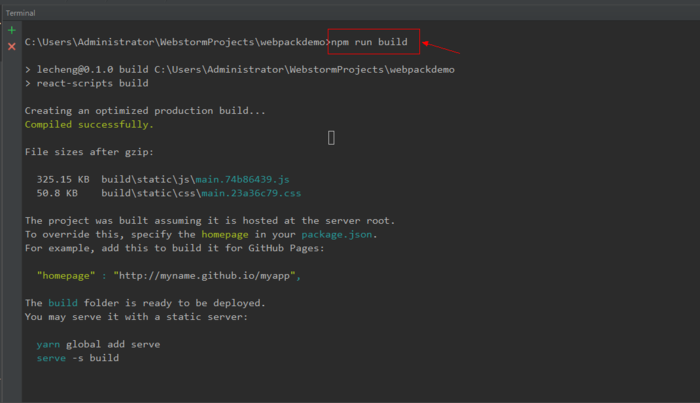
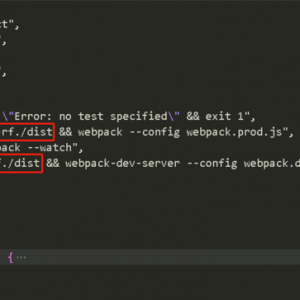
  2. 在webstorm的Terminal中输入npm run build;
    nodejs - webpack - ReactJS - AntDesign 项目搭建环境并运用到thinkphp5框架代码中

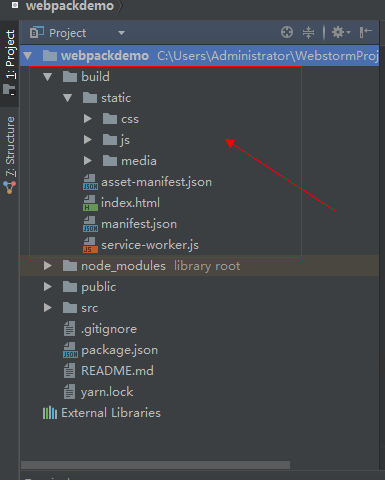
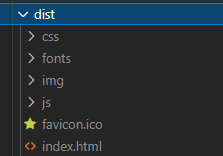
  3. 利用webpack打包之后,项目目录中自动会生成一个build文件夹;
    nodejs - webpack - ReactJS - AntDesign 项目搭建环境并运用到thinkphp5框架代码中

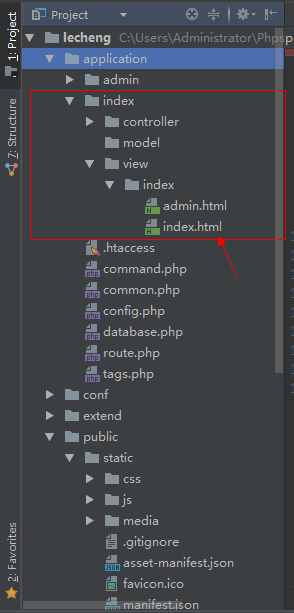
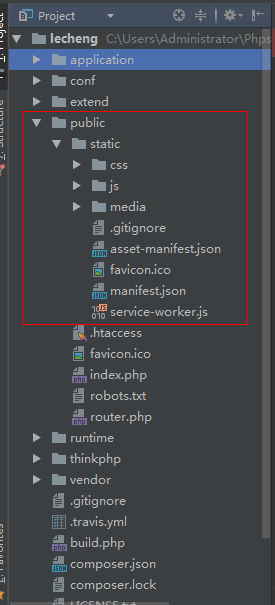
  4. 把这个文件夹放到tp5的public的static目录下,把index.html拷贝进application里某个模块的view中去。
    nodejs - webpack - ReactJS - AntDesign 项目搭建环境并运用到thinkphp5框架代码中

nodejs - webpack - ReactJS - AntDesign 项目搭建环境并运用到thinkphp5框架代码中

这里注意模块中html里css,js以及其他引入资源的路径问题。

  1. 然后直接运行tp5的文件,在浏览器中即可看到页面。

Related Posts

发表回复

您的邮箱地址不会被公开。 必填项已用 * 标注