Angular requires some careful consideration when uglifying your code because of how angular’s dependency injection system works. See how easy it is to add this consideration to your webpack configuration so you can minify your Angular JavaScript with Webpack.
Install:
npm install --save-dev ng-annotate-loader
After babel compile the javascript code, we need to annotate the angular code:
{test: /\.js$/, loader: 'ng-annotate-loader!babel-loader', exclude: /node_modules/},
Uglify the Javascript in production env:
if(process.env.NODE_ENV === "production"){
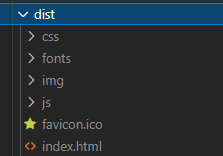
    config.output.path = __dirname + "/dist";
    config.plugins.push(new webpack.optimize.UglifyJsPlugin()); // Uglify js
}
var webpack = require('webpack')
    path = require('path');

path.resolve(__dirname, "app");

var config = {
    context: __dirname + '/app',
    entry: './index.js',
    output: {
        path: __dirname + '/app',
        filename: 'bundle.js'
    },
    plugins: [
        new webpack.DefinePlugin({
           ON_TEST: process.env.NODE_ENV === "test"
        })
    ],
    module: {
        loaders: [
            {test: /\.js$/, loader: 'ng-annotate-loader!babel-loader', exclude: /node_modules/},
            {test: /\.html$/, loader: 'html-loader', exclude: /node_modules/},
            {test: /\.css$/, loader: 'style!css', exclude: /node_modules/},
            {test: /\.styl/, loader: 'style!css!stylus', exclude: /node_modules/}
        ]
    }
};

if(process.env.NODE_ENV === "production"){
    config.output.path = __dirname + "/dist";
    config.plugins.push(new webpack.optimize.UglifyJsPlugin()); // Uglify js
}

module.exports = config;
If in the code, you need to tell the ng-annotate-loader to annotate the code just do:
controller: /*@ngInject*/ function(){
  .....
}