https://docs.mellanox.com/pages/releaseview.action?pageId=15053848
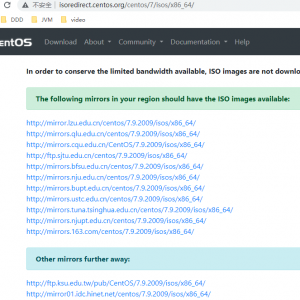
1. Install CentOS 7.7
2. Set up an account to use the Linux Foundation resources. To set up the account, refer to The Linux Foundation website: https://identity.linuxfoundation.org.
3. Set up a Gerrit account and apply an ssh public key. Follow the instructions on the FD.IO wiki web page: https://wiki.fd.io/view/DEV/Setting_up_Gerrit
4. Install the following prerequisites packages:
yum install -y git cpp gcc rpm-build openssl-devel libmnl-devel numactl-devel epel-release net-tools rdma-core-devel nasm |
Installation, Compilation and Configuration
1. Download VPP main master branch.
git clone ssh://<USERNAME>@gerrit.fd.io:29418/vpp.gitgit checkout origin/stable/<"Release_version_number"> |
- Use your Linux Foundation user account name (see Prerequisites above) instead of <USERNAME> as shows in above example.
- To find desired <“Release_version_number”> do: “git -r branch” form VPP root git directory.
2. For VPP 18.07 ONLY: Enable the mlx5 PMD driver compilation as follow:
cd /vppsed -i '/vpp_uses_dpdk_mlx5_pmd/s/^# //g' build-data/platforms/vpp.mk |
3. Compile and install VPP with DLopen linkage
cd /vppmake install-depmake dpdk-install-dev DPDK_MLX5_PMD=y DPDK_MLX5_PMD_DLOPEN_DEPS=y## Copy manually newly compiled shared module: ##cp /opt/vpp/external/x86_64/lib/librte_pmd_mlx5_glue.so* /usr/lib64/## For VPP 18.07 ONLY, check vpp-dpdk-devel package is installed: ##rpm -qa | grep vpp-dpdk-devel## Compile new binary: ##make build-release vpp_uses_dpdk_mlx5_pmd=yes DPDK_MLX5_PMD_DLOPEN_DEPS=y## Building RPM packages: ##make pkg-rpm vpp_uses_dpdk_mlx5_pmd=yes DPDK_MLX5_PMD_DLOPEN_DEPS=y## Install VPP RPMs: ##rpm -ivh build-root/vpp-sel*.rpmrpm -ivh build-root/vpp-lib*.rpmrpm -ivh build-root/vpp-19*.rpmrpm -ivh build-root/vpp-plug*.rpm |
4. Compile and install without DLopen linkage
cd /vppmake install-depmake dpdk-install-dev DPDK_MLX5_PMD=y DPDK_MLX5_PMD_DLOPEN_DEPS=n## Compile new binary: ##make build-release DPDK_MLX5_PMD=y DPDK_MLX5_PMD_DLOPEN_DEPS=n## Building RPM packages: ##make pkg-rpm vpp_uses_dpdk_mlx5_pmd=yes DPDK_MLX5_PMD_DLOPEN_DEPS=n## Install VPP RPMs: ##rpm -ivh build-root/vpp-sel*.rpmrpm -ivh build-root/vpp-lib*.rpmrpm -ivh build-root/vpp-19*.rpmrpm -ivh build-root/vpp-plug*.rpm |
5. Edit the /etc/vpp/startup.conf start file to include the following:
unix {
nodaemon
log /tmp/vpp.log
full-coredump
}dpdk {
dev 0000:07:00.0
dev 0000:07:00.1
no-multi-seg
dev default {
num-rx-queues 2
}
} |
lspci -nn | grep -i mel07:00.0 Ethernet controller [0200]: Mellanox Technologies MT27620 Family [15b3:1013]07:00.1 Ethernet controller [0200]: Mellanox Technologies MT27620 Family [15b3:1013] |
6. Start VPP.
vpp -c /etc/vpp/startup.conf |
7. Enter the VPP Command Line Interface.
vppctl |
8. Configure L3 interfaces as shown in the example below:
_______ _ _ _____ _____/ __/ _ \ (_)__ | | / / _ \/ _ \_/ _// // / / / _ \ | |/ / ___/ ___/
/_/ /____(_)_/\___/ |___/_/ /_/
vpp# set int ip address HundredGigabitEthernet7/0/0 1.1.1.1/24
vpp# set interface state HundredGigabitEthernet7/0/0 up
vpp# set int ip address HundredGigabitEthernet7/0/1 2.2.2.2/24
vpp# set interface state HundredGigabitEthernet7/0/1 up
vpp# show int
Name Idx State Counter Count
HundredGigabitEthernet7/0/0 1 up
HundredGigabitEthernet7/0/1 2 up
vpp# show int address
HundredGigabitEthernet7/0/0 (up):
HundredGigabitEthernet7/0/1 (up):
local0 (dn): |