In this post will guide you simple steps to resetforgotten
root passwordinRHEL,CentOSandFedoraLinux
with example. There are various ways to reset root password which are.
-
Booting intosingle
usermode. -
Usingboot
diskand editpasswdfile. -
Mountdriveto
another system and changepasswdfile.
Here, in this article we are going to review “Booting
into single user mode” option to reset forgottenrootpassword.
Cautious:We
urge to take backup of your data and try it out at your own risk.
STEP
1. Boot Computer and Interrupt while booting atGRUBstage
hitting ‘arrow‘
keys or “space
bar“.
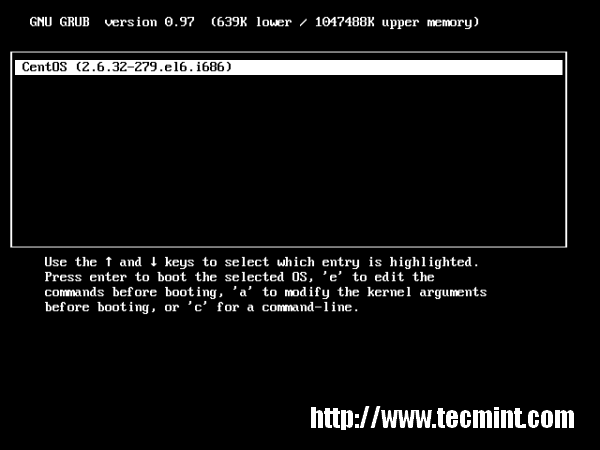
STEP
2. Type ‘a‘
to modify kernel argument. Anytime you can cancel typing ‘ESC‘
key.
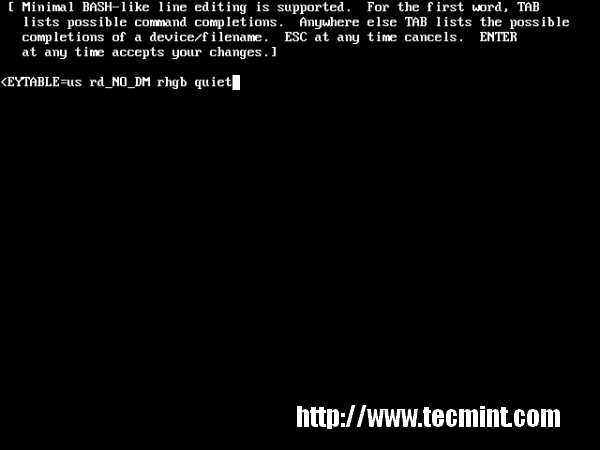
STEP
3. Append1at
the end of “rhgb
quiet” and press “Enter”
key to boot into single user mode.
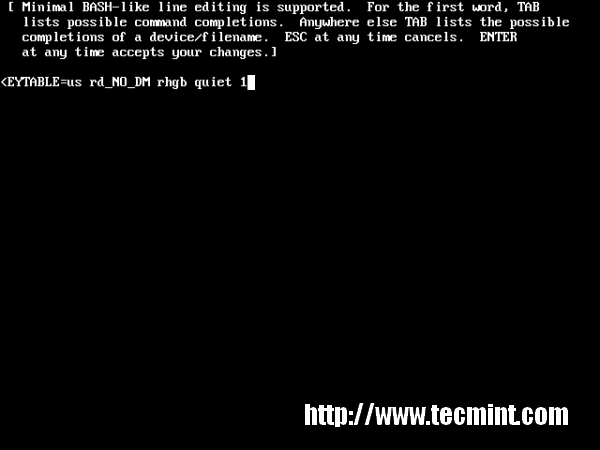
STEP
4. Type command “runlevel”
to know the the runlevel where you are standing. Here “1
S” state that your are in a single user mode.
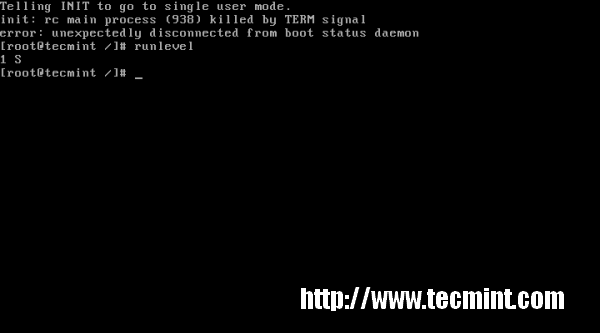
STEP
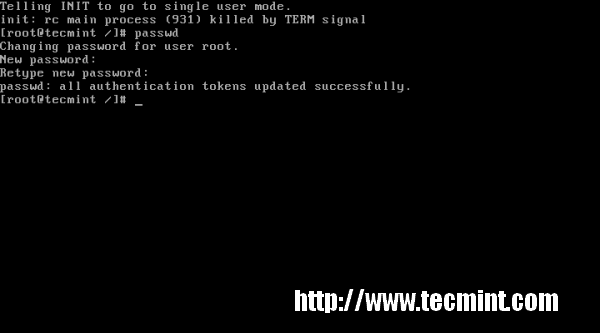
5. Type ‘passwd‘
command without username and press ‘Enter‘
key in command prompt. It’ll ask to supply new root password and re-type the same password for confirmation. “Your
are Done” Congratulation!!!
What ifGRUB
bootloader is password protected?We’ll cover in our next article, how to protectGRUBwith
password and reset the same. Stay tuned…
If you find this article is helpful, or you may have some comments or query about it please feel free to contact with us through below comment box.